Appearance
Pairs well with
The Pairs well with row sits in the product's details column and suggests products that go with it: a primer with a foundation, a brush with a palette. Customers add them to the cart from the row without leaving the page.
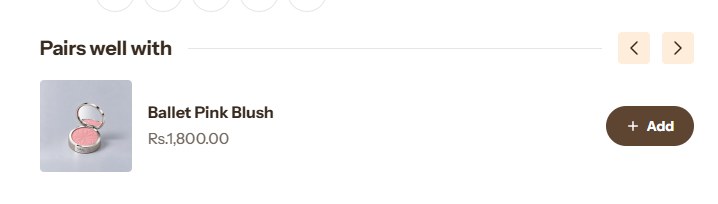
The row is a block of the Product information section; see Product page. Its Products to show setting decides where the products come from.
Complementary products
The default. You pair products up once in Shopify's free Search & Discovery app, and every product page shows its own pairs.
- Install the Search & Discovery app.
- In the app, open Product recommendations and choose a product.
- Under Complementary products, add the products that go with it, and click Save.
- In the theme editor, set How many in the block to the number of products to show (2–10).
Shopify leaves out products that are sold out, priced at zero, gift cards, unpublished, or already in the customer's cart. A product with no complementary products shows no row.
Your own picks
Choose Choose products under Products to show, then pick up to eight products in Products. Every product page shows the same picks.
To give each product its own picks, store them in a product metafield and connect it to the block:
- In the Shopify admin, go to Settings → Metafields and metaobjects → Products and click Add definition.
- Name it Pairs well with, set the Namespace and key to
custom.pairs, choose the type Product with List of products, and save. - Open each product, pick its products in the new Pairs well with field, and save.
- In the theme editor, click the database icon beside Products in the block and choose the metafield. Click Save.
A product whose field is empty shows no row.
Adding from the row
Each card in the row has a button. For a product with a single variant, it adds the product to the cart. For a product with options, such as shades or sizes, it opens Quick view, so the customer chooses before it goes in the cart.
Note
The Product recommendations section can show the same complementary products in a full-width row below the product. Set its Which recommendations to Complementary.