Appearance
Footer wordmark
The footer wordmark writes your store name across the width of the page, very large, in the heading font, at the very bottom of the page. It stays pinned to the bottom of the screen while the footer scrolls up off it, so the name is uncovered as the customer reaches the end of the page.

Find it in the editor
The wordmark is the last section in the Footer group at the bottom of the sidebar. To turn it off, remove the section, or hide it with the eye icon.

Section settings
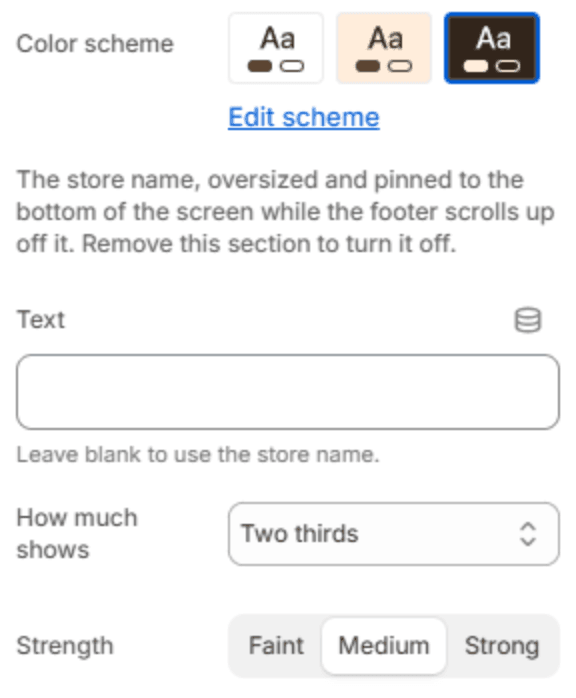
| Setting | Description |
|---|---|
| Color scheme | The colors of the wordmark. Schemes are edited in Theme settings → Colors. |
| Text | The word to show. Leave it blank to use your store name. |
| How much shows | How much of the letters rise into view: the Top half, Two thirds, or All of it. |
| Strength | How strongly the word stands out from the background: Faint, Medium or Strong. |
Note
A short name works best, because the word is sized to fill the page's width. A long name becomes smaller to fit.